
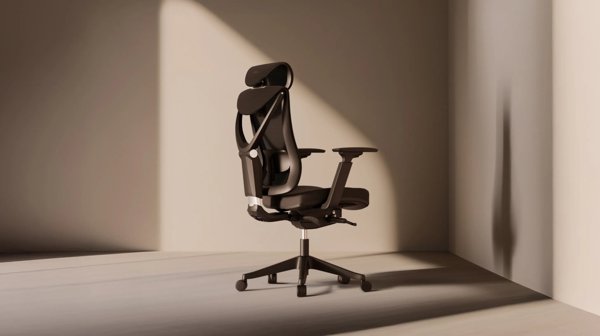
Most home office advice starts with the desk, but you will spend far more time in contact with your chair. German brand Desktronic, best known for its electric standing desks, also sells two ergonomic office chairs and a wobble-style balance stool through desktronic.de. This guide compares the three seating options so you can decide which suits the way you work.
All features below are taken from Desktronic’s own product descriptions, and prices were checked on 4 November 2026. They include the discounts shown on the site that day.
In this guide
Desktronic Seating at a Glance
| Seat | Key features (per Desktronic) | Price (EUR) |
|---|---|---|
| SitOne | Seat depth adjustment, 4D armrests, lumbar support | 279 (was 369) |
| SitPro | 9 adjustment points, height-adjustable backrest, 3D armrests, high-density foam | 379 (was 479) |
| Wackelhocker (balance stool) | Height 57 to 82 cm, weighted non-slip base, rocking motion | 149 (was 199) |
| Office chair castors | Replacement wheels | 28 |
SitOne: Adjustability at a Lower Price
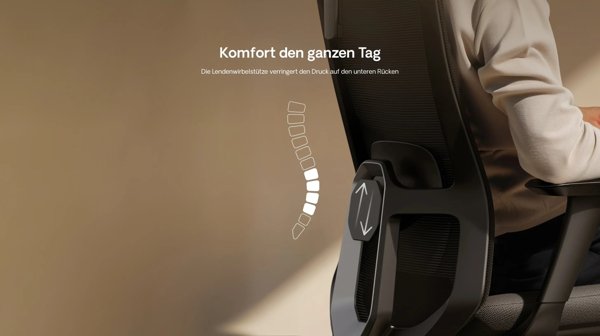
The SitOne is Desktronic’s entry-level ergonomic chair. According to the brand, its many adjustment points follow the natural posture of your body to reduce strain during long working hours. Desktronic highlights three features in particular: seat depth adjustment, 4D armrests and lumbar support.
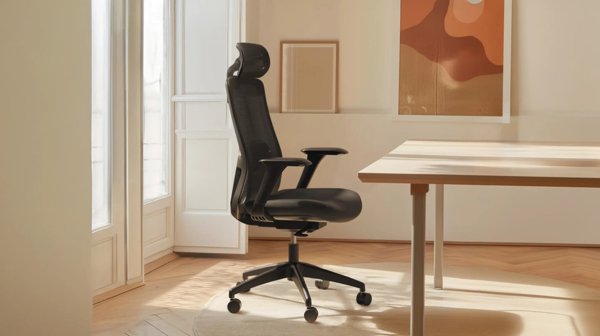
Seat depth matters more than many buyers realise. If the seat is too deep, you cannot sit back against the backrest without the front edge pressing behind your knees; too shallow, and your thighs are poorly supported. 4D armrests usually move up and down, forwards and back, in and out, and rotate, so they can sit close to your desk and keyboard.
Desktronic says the chair is easy to assemble and tools are included.
SitPro: The Fully Adjustable Option
The SitPro costs EUR 100 more and is described by Desktronic as a breakthrough in comfort and personalisation. It has nine adjustment points, including a height-adjustable backrest and 3D armrests. The brand says its high-density foam cushion reduces pressure on the thighs during long desk sessions, and that its ergonomics support correct posture over many hours.
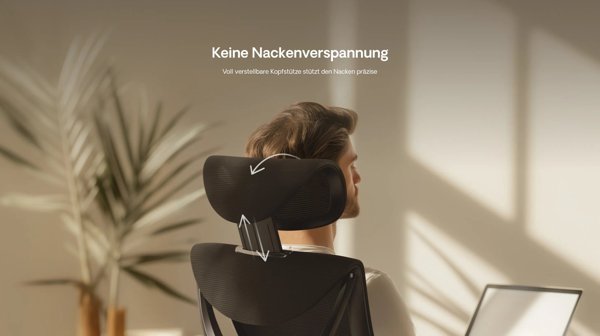
Notice that the SitPro’s armrests are listed as 3D and the SitOne’s as 4D, so the more expensive chair is not better in every single detail. The SitPro’s advantages are the headrest, the adjustable backrest and the cushioning. If you often lean back to think or take calls, the headrest may be the deciding factor.
The Wackelhocker Balance Stool
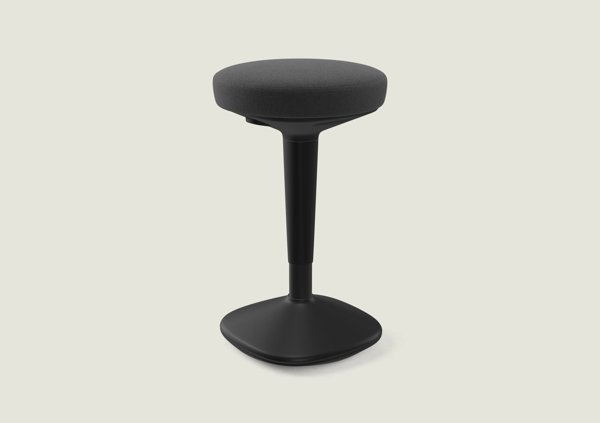
The Wackelhocker is something different: a backless stool with a weighted, non-slip base that lets you rock gently while you sit. Desktronic presents it as an alternative when a normal office chair no longer feels right, or when you want to gently engage your back muscles while working. It adjusts from 57 to 82 cm, which, according to the brand, suits any desk and task.

That height range makes it especially useful with a standing desk. You can perch on it at a mid height, between sitting and standing, rather than switching only between the two. Desktronic also claims the rocking movement supports healthier posture through the day and can relieve tension and back pain; treat this as the brand’s claim rather than medical advice.
How to Choose
- Tight budget, long hours: SitOne gives lumbar support and seat depth adjustment.
- You lean back a lot or want a headrest: SitPro.
- You already own a good chair and use a standing desk: add the Wackelhocker for active sitting.
- Floors getting scratched or wheels worn: replacement castors cost EUR 28.
Setting Up Your Chair Properly
Even the best chair will not help if it is badly adjusted. Start with the seat height: your feet should be flat on the floor with your knees at about hip level. Then set the seat depth so there is a gap of a few fingers between the front edge and the back of your knees. Adjust the lumbar support so it fits the curve of your lower back, and lower the armrests until your shoulders are relaxed with your elbows close to 90 degrees.
Finally, check your screen. The top should be at or slightly below eye level and about an arm’s length away. If you use a height-adjustable desk, set the desk after the chair, not before.
Pairing Seating with a Standing Desk
Many people buy a standing desk and then find that they stand less than planned. A comfortable chair for focused work, plus a balance stool for the in-between moments, makes it easier to change position through the day. Desktronic sells all three items alongside its desks, so you can combine them in one order.
Questions to Ask Before You Buy
- How many hours a day will you sit? The longer the hours, the more adjustment points are worth paying for.
- Do you share the chair with someone of a different height? Wide adjustment ranges matter more in shared homes.
- What flooring do you have? Hard floors and carpets suit different castors.
- Will the chair fit under your desk with the armrests lowered?
- Do you want a headrest, or do you rarely lean back?
Thinking through these points before ordering makes it easier to decide whether the SitPro’s extra features justify the higher price, or whether the SitOne, perhaps combined with a balance stool, is the better fit for your home office and your budget.
Final Thoughts
The SitOne covers the essentials of ergonomic seating at a sensible price, the SitPro adds a headrest, an adjustable backrest and thicker cushioning, and the Wackelhocker offers active sitting for standing-desk users. Compare the office chairs and the balance stool on desktronic.de before you decide.
Disclaimer: This article contains affiliate links. We may earn a commission if you buy through them, at no extra cost to you. Features and prices are from desktronic.de, checked on 4 November 2026, and may change. This article is not medical advice.