
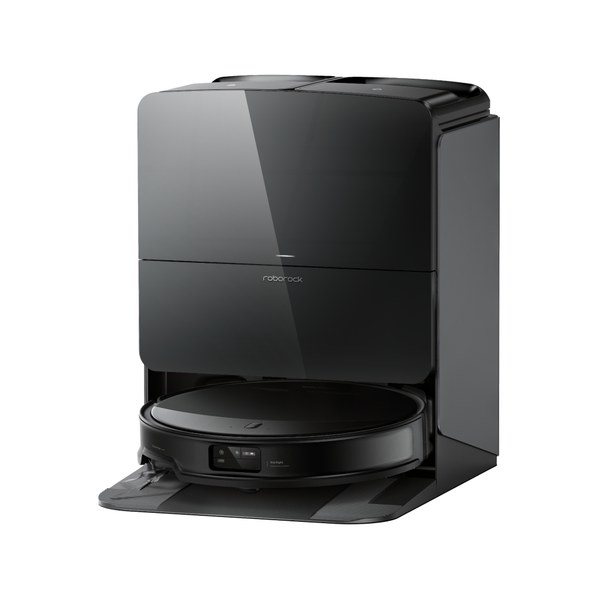
If you already want a robot vacuum, the official French shop at fr.roborock.com, checked on 15 November 2026, still asks a second question: which series? Robots are grouped as Saros, S, Qrevo (including Curv and Edge) and Q. Those families sit in the robot department, not in the F25 wet-and-dry stick aisle. Mixing a Q7 with an F25 because both are on sale is the wrong comparison.
This guide stays inside the robot department and compares how the official site presents the series. Promotional tiles, including early Black Friday and anniversary prices visible that day, can change. Use them only after the series is clear, and recheck the live product page before you pay.
Stay in the robot department
The French robot-vacuum page lists four main families. Saros is shown as the current flagship line, with models such as Saros Z70 (the shop highlights a folding OmniGrip mechanical arm, a very slim body and a high HyperForce suction figure), Saros 20, Saros 20 Flow Complete, Saros 20 Sonic, Saros 20 Neo, Saros 10 and Saros 10R. The S series is still listed, including S8 MaxV Ultra. Qrevo is split into Curv, Edge and a general Qrevo group, with named models such as Qrevo Curv 2 Pro, Qrevo Edge 2 and Qrevo S Pro. The Q series includes the Q10 and Q7 lines.
You do not need to memorise every sub-name on the first visit. You do need to open one family that matches the home: a slimmer flagship robot for tight clearances, an S or Qrevo model if that is the feature set you were already comparing, or a Q series model if you want an entry robot family on the official shop. The compare tool on the French site exists specifically to put robot models next to each other. Use it inside one job, not against a stick vac.
| Robot series (fr.roborock.com, 15 Nov 2026) | How the official shop presents it | A good starting point if… | Skip it first if… |
|---|---|---|---|
| Saros | Flagship family including Z70, 20, 20 Sonic, 20 Neo, 10 and 10R | You want the current top robot line and will read the individual model page | You have not yet decided you want a robot at all (consider the F25 department separately) |
| S series | Still listed, including S8 MaxV Ultra | You were already comparing an S model and want to stay in that family | You only opened it because it appeared next to a stick-vac promotion |
| Qrevo (Curv, Edge and Qrevo) | Several named models, including Curv 2 Pro, Edge 2 and S Pro | You want a mid-to-high robot family other than Saros and will use the official compare page | You actually needed a simpler Q series model, or a stick vac |
| Q series (including Q10 and Q7) | Entry robot families on the official French list | You want a robot and are starting with the shop’s Q lines | You already know you want Saros-level features |
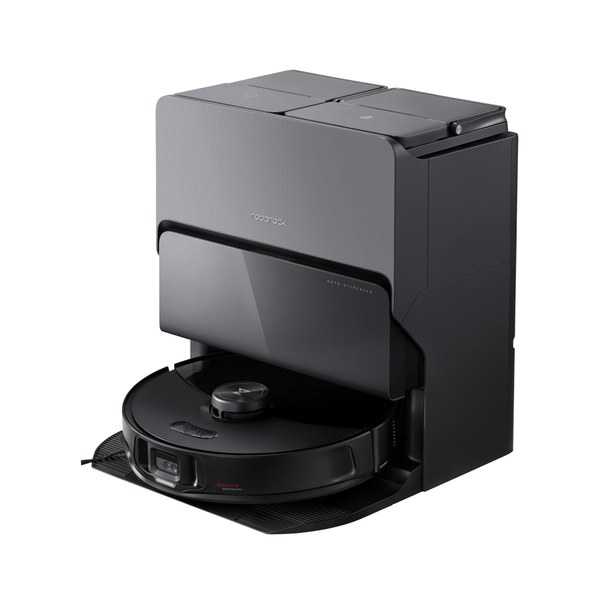
If your furniture sits low, official Saros copy that mentions a slim body is relevant, but only as a prompt to check the exact height on the model page, not as a reason to ignore Qrevo or S. If you have mixed hard floors and rugs, look for how that model describes mop lifting or carpet behaviour rather than stopping at the series name. If you have pets, look at the official description of the brush and the dock’s emptying, again on the model page. The series gets you to the right shelf; the product page finishes the choice.
Read the model page for height, dock and floors, not only the suction number
Roborock’s official copy leans on suction figures, dock features and navigation names (for example StarSight and AdaptiLift on some Saros 20 pages). Those details matter only after you know the series. A high pascal number does not tell you whether the robot will sit under your sofa, whether the dock needs a clear wall, or whether you have mostly hard floors or a long-pile rug. The product page and the official compare view are the right place for that, not a homepage tile.
Sets that add consumables can look cheaper per year if you already chose the robot. They are a poor way to choose the series. Likewise, a gift box or a limited price on Saros 10R does not automatically make it a better fit than a Qrevo for your layout. Write down door thresholds, pet hair and whether you want emptying and mop washing in the dock, then open the series that actually offers that combination.
The official compare-robot-vacuums page is there to hold two or three robots next to each other. Use it after you have narrowed the field to one series, or at most two. Adding an F25 or a garden mower to that comparison helps no one. Stock and bundle contents change; a “set” that includes a spare bag or a detergent may be useful, but only for the robot you already selected. When you are ready to pay, open the current product page once more and confirm the official price, the dock type and the warranty route.
One series, then one model
A calm way to shop the official Roborock France shop is to ignore the F25 stick aisle if you already want a robot, pick Saros, S, Qrevo or Q from the official grouping, and only then open two or three model pages or the compare tool. Recheck stock and the current price on the day you order. Warranty and shipping-protection terms are on their own official pages; read the ones that apply to the robot you selected.
Once you know you want a robot, the series is the decision that matters. Use the official French compare page inside that department, and recheck prices on the day you buy.
Source: official pages checked 15 November 2026. Prices, availability, delivery rules and warranty terms can change; confirm the current details on the official site before you buy. Affiliate disclosure: we may earn a commission through the shopping link, at no extra cost to you.
Official reference pages: Source 1. Source 2. Source 3. Checked 15 November 2026. Availability, prices and terms can change; confirm details on the official site before you buy.